Code ##002#: what it is, what it's for, how to use it and how it can prevent you from being spied on
The code ##002# is a universal command used to deactivate all active call forwarding on your cell phone, regardless of whether you configured it yourself or …
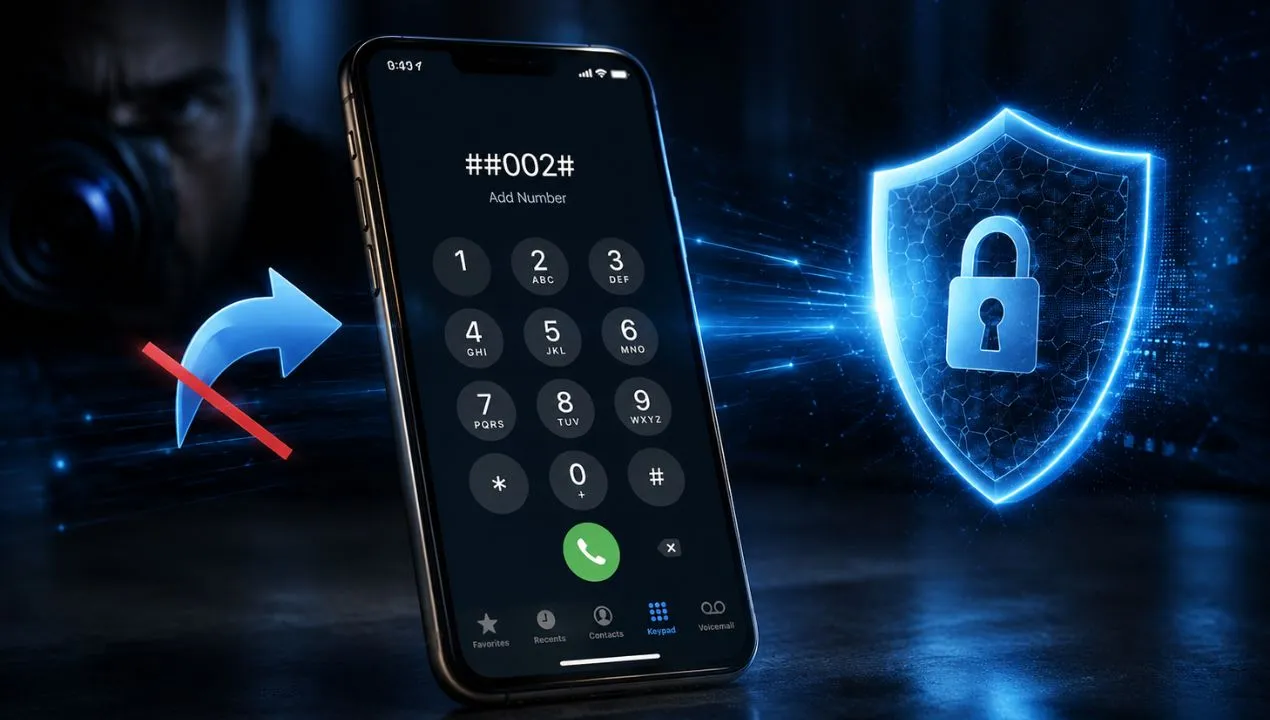
There's a short code that can delete all call forwarding settings on your line in seconds: ##002#. Just open the Phone app, type it in, and press the call button.
But before using it, it's important to know something: the code ##002# doesn't remove viruses, uninstall spyware, or guarantee that no one is monitoring your phone. Its actual function is to cancel call forwarding that's active on your carrier's network.
This can protect you if someone has set up call forwarding without your permission, causing your calls to terminate at a different number. However, it could also disable legitimate features, such as voicemail. Therefore, it's advisable to first review existing call forwarding settings, save any unknown numbers that appear, and then decide whether you need to delete them.
What is the purpose of the code ##002#?
The code ##002# is a universal USSD command that cancels all active call forwarding on your phone line. To use it:
- Open your phone's phone app (the regular dialer)
- Write exactly: ##002#
- Press the call button (it's not an actual call, it's a command)
- You will see a screen confirming that the diversions have been cancelled
Done. If someone had set up call forwarding without your permission, it's now deactivated. Read on to understand exactly what happened and how to protect yourself in the long run.
The code ##002# is used to cancel all call forwarding associated with a mobile line; it is necessary to dial it when:
- When you call someone on their cell phone, it's always busy.
- When the cell phone is turned off, out of coverage, or unavailable.
- When nobody answers and it hangs up immediately
On a phone with two SIM cards, the system may ask you to select the line on which you want to run the code. You will have to repeat the process for each SIM you want to check.
Its usefulness as a privacy measure lies in preventing calls from being redirected to an unknown number. It does not protect against other forms of spying, such as malicious apps, compromised accounts, linked devices, microphone access, SIM card theft, or open sessions on WhatsApp, Google, Apple, or social media.
What exactly is the code ##002#?
The code ##002# belongs to a set of commands used by phones to control complementary mobile network services. Although many people call them secret codes or USSD codes, technically they usually function as MMI instructions that the device and the carrier interpret to query, activate, deactivate, or delete certain settings.
It's not an app, it's not an antivirus, and it's not a program that scans your phone's files. When you dial it, your phone sends a request to the network to remove any call forwarding rules available for that line.
When you dial a number that starts with * or # and ends with #, you're not making a voice call. You're sending a direct command to your carrier's servers. The response arrives within seconds as a pop-up message on your screen.
The structure of the code has a meaning:
- The two symbols ## indicate a command to delete or cancel the configuration.
- The number 002 represents the set of all call forwarding services.
- The call button sends the request to the operator.
The process takes place primarily on the mobile network, not within the phone's storage. Therefore, dialing ##002# will not delete photos, contacts, messages, apps, passwords, or personal files.
ℹ️ Technical note: Call forwarding codes are standardized by the 3GPP specification (the organization that defines global mobile telephony standards). Therefore, ##002# works in virtually any country and with any operator using GSM networks, which is the vast majority of the world.
Which call forwarding does it eliminate?
A call can be redirected under various conditions. The code ##002# attempts to cancel all of these redirections with a single dial.
Unconditional diversion
Send all incoming calls to another number without the main cell phone ringing normally.
This is the most striking method when activated without authorization, because all calls can be routed directly to another line. It can also be used legitimately, for example, when someone wants to answer their work phone from another device.
Diversion when the line is busy
- Redirects the call when you are already talking to someone else and the network considers your line to be busy.
- Depending on the operator's settings, the call may be sent to voicemail or another pre-registered number.
Diversion when you don't respond
It activates when the phone rings for a certain amount of time and you don't answer. This is generally one of the mechanisms used to send missed calls to voicemail.
Call forwarding when the phone is unavailable
It works when the phone is turned off, out of coverage, in airplane mode, or without a mobile network connection. The call can be routed to voicemail or another number.
By dialing ##002#, the carrier attempts to cancel all these rules. This is why some people later discover that their voicemail no longer receives messages. It doesn't mean the phone is damaged; it likely means the voicemail relied on one or more conditional call forwarding rules that were deleted.
How to use the code ##002# correctly?
Although the procedure is simple, doing it in the correct order allows you to check what was configured before deleting it.
Before dialing ##002#, you can check the different call forwarding types individually. The most common codes are:
- *#21#: Check unconditional forwarding.
- *#61#: Check call forwarding when you don't answer.
- *#62#: Check call forwarding when the phone is off, out of coverage or unavailable.
- *#67#: Check call forwarding when the line is busy.
- *#004#: on some networks allows you to view grouped conditional forwarding.
- *#06# Displays your phone's IMEI number, to report the phone in case of theft
- *#0*# Opens the hardware diagnostic menu (Samsung) to test the screen, camera, sensors, and speakers
- ##4636## Opens the network and battery information menu (Android) to view the type of network connected and statistics
- ##21# Delete unconditional forwarding
- ##61# Delete call forwarding when you don't respond
- ##62# Delete call forwarding when you are unavailable
- ##67# Delete call forwarding when you're busy
- ##004# Delete conditional deviations
These commands don't work exactly the same in all countries, carriers, or models. Some phones display the data in a window; others return a network message; and certain carriers block the query or manage call forwarding from their own app.
When should you use ##002#
If you suspect someone has tampered with your phone without your permission, an ex, an intrusive family member, or someone with physical access to the phone could have activated silent call forwarding in less than a minute. ✅
If you buy or receive a used cell phone, the previous owner may have left active routing options that you'll never see with the naked eye.✅
If you switched carriers and notice that some calls aren't going through correctly ✅
If you installed a "call management" app that may have set up call forwarding without clearly notifying you ✅
If you feel like your calls "ring" but you never receive them, or that they arrive with a long delay to voicemail✅
As a regular preventative measure, at least once a month, to make sure everything is clean✅
When you DON'T need to use ##002#
If you set up voicemail forwarding yourself and are using it intentionally — this code will cancel it❌
If you have an active call forwarding on purpose during vacation or outside of working hours❌
If you use enterprise call management services that rely on configured call forwarding❌
💡 Before you dial: If you intentionally use call forwarding (for example, to automatically send calls to voicemail), make a note of that setting before running ##002# because it will erase everything with no possibility of undoing.
Look for truly abnormal signs: a personal number you don't recognize, an unconditional call forwarding you never set up, or a change that appeared after someone else had access to your phone or your account with the carrier.
If you have any doubts, take a screenshot and consult directly with your phone company.
Save any suspicious information
If an unknown number appears, write it down before deleting the call forwarding. This information may be useful for:
- Consult the operator.
- Determine if it belongs to the voicemail.
- Document an unauthorized modification.
- Preserve evidence if harassment, fraud, or unauthorized access occurs.
- Review when the problem started.
Do not impulsively call the number or contact it from your main line. First, verify its origin with your carrier.
How to use ##002# step by step on Android and iPhone
The process is identical on both systems. You don't need to install anything or have internet access.
Open the Phone app, the native calling app — the green icon with the phone that's always been there. Not WhatsApp, not Telegram.
✅ How do I know it worked? You'll see an on-screen message that says something like "Cancellation successful," " Operation successful ," "All forwards have been deleted," or similar, depending on your carrier. If you see an error message, your carrier may be using a different version of the code—check with your carrier.
Double-check your call forwarding settings
After running the code, repeat the previous queries. The redirects should appear as disabled, deleted, or unregistered.
Also make a test call from another phone to check that your number receives calls normally.
Check your voicemail
Ask someone else to call you and let the phone ring without answering. If the call no longer goes to voicemail, ##002# may have removed its setting.
In that case, contact your carrier or use their official instructions to reactivate your voicemail. Do not copy voicemail numbers posted in forums, comments, or videos, as each company may use different numbers.
On some Samsung, Xiaomi, Motorola, OPPO, Realme, Honor, Huawei or Google Pixel devices, the option can also be checked from the call settings.
The route usually looks like this:
Phone > Settings > Call Accounts or Supplementary Services > Call Forwarding
The names vary depending on the manufacturer, Android version, and carrier. The menu may take a few seconds to load because it queries the settings directly with the network.
On iPhones you can also check the main route from:
Settings > Apps > Phone > Call forwarding
In some earlier versions of iOS, the path may appear simply as:
Settings > Phone > Call Forwarding
The option depends on the carrier. Having the switch disabled doesn't always allow you to see all conditional call forwarding related to voicemail, so queries using codes can provide additional information.
Does the code ##002# really prevent you from being spied on?
You can only do this in one specific scenario: when someone uses unauthorized call forwarding to redirect your voice communications to another number.
By removing the rule, new calls are no longer sent through that mechanism. In this way, the code can close an access point and regain normal control of the line.
However, the word “spying” encompasses many different techniques. Code cannot solve them all.
What you can do ##002#
- Cancel active call forwarding.
- Remove an unknown redirect number.
- Restore direct call reception.
- Correct deviations configured in error.
- Stop a redirect made from your own phone.
- Reset the call rules before reconfiguring the mailbox.
- To serve as an initial check when calls are not coming through correctly.
What you cannot do ##002#
- It doesn't detect or
- Removes viruses from cell phone
- .
- It does not uninstall spyware applications.
- It does not block access to the microphone.
- It does not block access to the camera.
- It does not check application permissions.
- It does not close open sessions on other computers or cell phones.
- It does not unlink WhatsApp Web or other devices.
- It does not change passwords.
- It does not prevent SIM duplication or swapping fraud.
- It does not delete administrator profiles.
- It does not disable applications with access to Accessibility.
- It does not identify a professional or legal telecommunications intervention.
- It does not make the cell phone a completely secure device.
Therefore, presenting it as a "magic code to find out if you're being spied on" is misleading. It's a useful tool for managing deviations, but it should be part of a broader review.
Cases in which it is appropriate to use ##002#
Your calls stopped coming in without explanation
If other people claim to be calling, but your phone never rings, there may be an unconditional call forwarding issue or an incorrect setting.
A detour icon appears that you don't recognize.
Some phones display a symbol in the top bar when call forwarding is active. Check your settings first before deleting it.
You lent the unlocked cell phone
Someone with access to the dialer or settings could change the call destinations. If you don't trust what happened, check the call forwarding settings and change the unlock code as well.
You bought a used SIM card or recovered a line
A reactivated line might retain certain network settings. It's advisable to request a full check from your service provider.
You changed phones and now the calls aren't working properly.
The problem may be with the line, not the new device. Deleting call forwarding rules out any previous configuration.
You set up a call forwarding system and now you can't remember how to remove it.
##002# can serve as a general reset of call forwarding, although you will then have to reactivate voicemail.
You suspect a call is being forwarded to another number
First, check the individual codes, document the result, and then eliminate the deviations.
Are you traveling or changing operators?
Some settings may behave differently while roaming or after a number transfer. Before making any changes, check for potential costs and confirm the procedure with your service provider.
🔴 Real case — The detour of the jealous partner
Someone with access to their partner's unlocked phone can dial the unconditional call forwarding code to their own number or a private voicemail in 15 seconds. From that moment on, all calls received by the victim go to the attacker first. The victim only notices that suddenly "no one is calling" or that calls are arriving late to voicemail. Dialing ##002# immediately stops all call forwarding.
🔴 Real case — Advanced SIM swapping
In more sophisticated attacks, an attacker convinces the carrier to redirect the number to a new SIM card under their control. Combined with number spoofing, this can intercept two-step verification SMS messages for mobile banking. That's why ##002# isn't enough against this type of attack—it requires additional measures such as SIM blocking and carrier PIN protection.
🟡 Real case — The app that sets up call forwarding automatically
Certain malicious apps request the "Directly dial phone numbers" permission and use it to dial USSD codes in the background, setting up call forwarding without the user's knowledge. On Android, this permission appears during installation, and many users accept it without reading it.
Signs that someone is diverting your calls
- Trusted people tell you they called, but you never received the call or even a missed call.
- The phone doesn't ring, but the calls appear as missed long afterward.
- You receive messages asking "why aren't you answering" when you didn't receive any notifications.
- Your voicemail contains messages you don't remember receiving or listening to.
- When you dial *#21#, a configured number appears that you don't recognize.
🚨 If you find an active call forwarding to an unknown number: Write down that number, dial ##002# to cancel it, then change your SIM PIN and notify your carrier. Also consider changing the passwords for your important accounts, as someone may have intercepted verification codes.
How to protect yourself from phone spying
##002# is a good first step, but real protection comes from a set of habits that make it almost impossible for someone to intercept your communications without you knowing.
Internet calls (VoIP) like those from WhatsApp or Signal don't use the traditional GSM network, so call forwarding settings on your number won't affect them. If you handle sensitive information, consider using these voice apps instead of traditional phone calls.
Common ways a cell phone can become infected
The code ##002# does not introduce or remove malware. Infections usually occur through other actions.
Installing apps from untrusted links or stores
One of the most common ways to download APK files on Android is from websites, messages, groups, or ads that promise:
- Free premium apps.
- Modified versions of WhatsApp.
- Games with unlimited coins.
- Tools for spying on other people.
- Alleged antivirus programs.
- Fake banking apps.
- Urgent updates.
- Automatic followers or “likes”.
The file may request permissions to read notifications, control the screen, access SMS, or use Accessibility services.
For this reason, we recommend downloading applications only from the Play Store or the website lbiapk.com .
Leaving your unlocked phone in someone else's hands
Physical access remains one of the most significant risks, as in 90% of cases this action is performed by a real person.
Run Play Protect on Android
Open the Google Play Store, tap your profile picture, and go to Play Protect. Run a scan and keep app scanning enabled.
Change the unlock code
Use a code that is not known to family members, partners, colleagues, or people who have had access to the device.
Review the registered fingerprints and faces. Delete any biometric data you don't recognize.
Questions that users also ask
What happens if I dial ##002# on my cell phone?
The operator receives a request to cancel all call forwarding settings on your line. A message should then appear indicating whether the operation was completed.
What is ##002# for?
It is used to delete active call forwarding, including unconditional forwarding and those that occur when you are busy, do not answer, or have no coverage.
Does ##002# remove viruses?
No. The code does not analyze applications or files. To detect malware, you must review applications, permissions, accessibility, administrators, sessions, and system security tools.
Does ##002# prevent them from listening to my calls?
It can only stop call forwarding. It does not prevent other surveillance techniques or prove that a conversation is being monitored.
Does ##002# work on Android?
It works on many Android phones when the carrier supports this type of command. Compatibility depends more on the network than the phone brand.
Does ##002# work on iPhone?
Yes, many carriers allow you to use it from the iPhone keyboard. You can also check the primary call forwarding settings in your Phone app.
Does ##002# deactivate voicemail?
You can do that. Voicemail usually uses call forwarding when you don't answer, are busy, or don't have coverage. If it stops working, ask your carrier to set it up again.
How can I tell if my calls are being diverted?
You can check your call settings or use queries like *#21#, *#61#, *#62#, and *#67#. The results should be confirmed with your carrier before assuming spying is occurring.
What is the difference between *#21# and ##002#?
*#21# checks the status of unconditional call forwarding. ##002# requests to delete all call forwarding types.
One is used for querying; the other modifies the settings.
What is the difference between #21# and ##21#?
According to the network, one code can temporarily disable the service, and the other can erase the saved settings. Operators don't always implement these commands in the same way.
What does it mean when a number appears when dialing *#62#?
This is usually the number calls are sent to when your phone is switched off or out of coverage. It often corresponds to your voicemail.
If you see an unknown number, does that confirm they're spying on me?
Not necessarily. It could be part of the company's infrastructure. An unauthorized modification is a red flag to investigate, but it doesn't constitute conclusive proof on its own.
Does dialing ##002# affect WhatsApp?
No. The code manages call forwarding over the mobile network. It does not close WhatsApp Web, remove linked devices, or change WhatsApp's internal settings.
Can someone activate call forwarding without having my phone number?
He could try if he gains access to your account with the carrier, deceives customer service, controls an enterprise platform, or gains physical access to the phone.
How can I tell if my SIM card has been duplicated?
A sudden loss of signal accompanied by alerts of account changes, unsolicited codes, or unknown access may warrant an immediate consultation with the operator.
Don't expect the signal to recover on its own if you also detect bank transactions or password changes.
What do I do if ##002# doesn't work?
Check your coverage, select the correct SIM, restart your phone, and try again using the original Phone app. You can also disable call forwarding in your settings or contact your carrier for assistance.
Conclusion: ##002# is useful, but it's not a magic anti-spy code.
The code ##002# is a quick way to cancel all call forwarding settings on a mobile line. This can help if your calls are being sent to another number without authorization, if an old setting is causing problems, or if you need to reset call forwarding before setting up voicemail again.
Its value lies in solving a specific problem. It doesn't remove viruses, detect spyware, protect WhatsApp, fix SIM card theft, or replace a full security scan.
The correct way to use it is simple: first, check the call forwarding options, save any numbers you don't recognize, confirm with your carrier, and then dial ##002# if you want to delete them. Finally, review accounts, apps, permissions, linked devices, passwords, and verification methods.
Were you familiar with this code?
Share this with someone who values their privacy. This information can make a real difference to your line's security.