How to advertise on Google Maps step by step and get more customers
Do you own a business and want it to appear when someone searches for your products or services on Google Maps? You can achieve this through Google Ads, even if
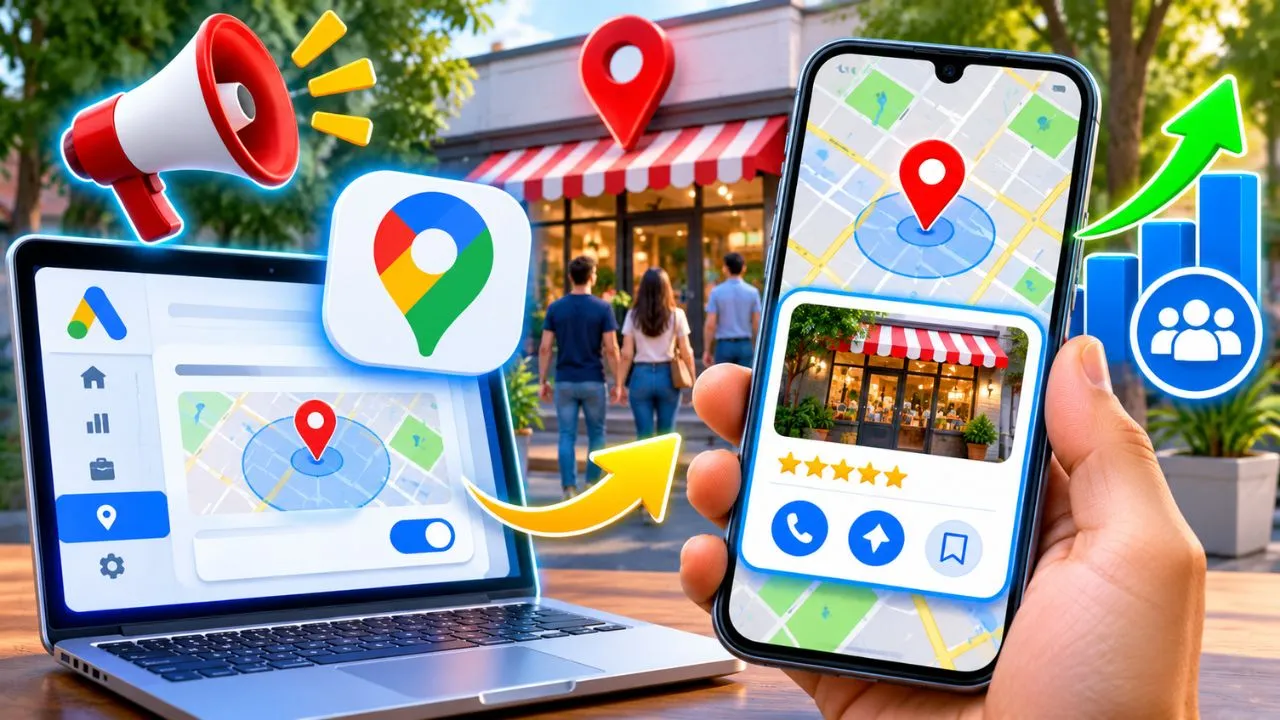
Do you own a business and want it to appear when someone searches for your products or services on Google Maps? You can achieve this through Google Ads, even if you have a small business and have never created an advertising campaign before.
To advertise on Google Maps, you need a Google Ads account, a suitable business location, properly configured location assets, and a campaign that supports local ads. It's common to link a verified Google Business Profile so your ads can display information about your business.
Imagine you own an air conditioning repair business. Someone searches on their phone for "air conditioning technician near me," and Google Maps displays several businesses. If your campaign qualifies and is selected, your business could appear as a sponsored result, making it easier for that customer to call you, visit your website, or request directions.
The interesting thing is that you can reach people who are already looking for a solution, instead of showing advertising to an audience without a defined need.
In this guide you will learn how to set up ads, choose the right campaigns, calculate how much to invest, and check if your advertising is actually bringing in customers.
How does advertising work on Google Maps?
Google Maps allows businesses to display ads in various parts of the app. These ads are managed through Google Ads and can appear when someone searches for businesses, explores the map, or views specific locations.
For example, someone types "Italian restaurant in Quito." Among the businesses that appear, Google may include sponsored establishments that meet the requirements to participate in the advertising auction.
Ads may include information such as:
- Business name of the establishment.
- Address or location data.
- Contact phone number.
- Link to the website.
- Directions.
- Photographs and other available resources.
Not all ads display the same elements. Their presentation depends on the format, the campaign, and the available information.
There is an important difference: appearing on Google Maps for free is not the same as paying for advertising.
Your business can have a free listing and appear organically. Ads, on the other hand, allow you to compete for specific sponsored spaces.
Furthermore, Google does not offer a setting that guarantees ads will only appear within Google Maps. Compatible campaigns may also display ads on other Google properties.
What types of ads appear on Google Maps?
Before creating a campaign, it's important to know how your advertising might be displayed. Not all formats appear under the same circumstances.
Ads in search results
These are sponsored results that may be displayed when a user searches for businesses within Google Maps.
For example, a person types "veterinarian near me" and finds an advertised establishment among the relevant results.
This format allows you to attract customers with a specific need.
Maps search ads are compatible with certain campaign types, including Location-based Search campaigns and Top Performance campaigns with in-store objectives.
Promoted markers on the map
Promoted markers, also called Promoted Pins , highlight businesses directly on the map.
They differ from regular markers in elements such as their shape or the business logo, depending on the type of campaign.
They can appear while a person is exploring an area, checking routes, or using certain navigation features.
Its availability depends on the advertiser's eligibility and the campaign used.
Suggested ads while you type
In the mobile app, Google Maps may display sponsored suggestions when the user starts typing in its search bar.
For example, when searching for a coffee shop, you might see an establishment advertised among the available suggestions.
This format allows you to present a commercial option before the user finishes typing their query.
Advertisements in business listings
Some place listings may include ads related to bookings, activities, or affiliated businesses.
These formats depend on the sector and the types of campaigns they support. Not all of them are available to every company.
Which format should you choose? If you have a small business and want to attract customers searching for your services, Search campaigns with location-based resources are usually a reasonable starting point. If you manage physical stores and want to increase in-store visits, it's also worth considering Top Performance with in-store objectives.
What you need to place ads on Google Maps
Before spending money, check these requirements:
- A real and suitable company: the business must comply with the policies applicable to its activity and location.
- Google Business Profile: This is the usual way to manage a verified business location.
- Google Ads account: required to manage advertising campaigns.
- Location resources: allow you to link your business information to compatible ads.
- Payment method: to pay for advertising expenses.
- Budget: the amount you decide to allocate to the campaign.
- Commercial objective: calls, contacts, bookings, visits or sales.
Not all formats require exactly the same resources, but preparing these elements correctly makes it easier to start without errors.
Do I need a website to advertise on Google Maps?
Not necessarily.
Some campaign options allow you to promote your business using information from your Business Profile without needing your own website. Availability and terms vary depending on the campaign type.
However, if you sell higher-value services, a website can help you explain what you do, showcase past work, answer questions, and capture quote requests.
It also makes it easier to measure forms, sales, and other relevant actions.
How to advertise on Google Maps step by step
These are the steps to prepare a campaign aimed at local customers.
Step 1. Create or claim your Google Business Profile
Start by going to business.google.com .
Search for your company to see if it already has a listing. If it does, request to manage it instead of creating a duplicate profile.
If it doesn't appear yet, follow the procedure to add it.
Complete the information:
- Your real business name.
- Main category.
- Business address or service area.
- Telephone number.
- Opening hours.
- Website, if you have one.
- Services or products offered.
- Real photographs.
For example, if you're a refrigeration technician and you work on-site, you need to properly configure your service area. You don't have to invent an office or use a fake business address.
If you don't receive customers at your home, set up your profile as a service area business and hide your address from the public where appropriate.
Google may request verification via video, phone, mail, or another procedure available to your business.
Until the necessary checks are completed, certain functions may be limited.
Step 2. Create a Google Ads account
Go to ads.google.com and sign in with your Google account.
Follow the registration process and complete the information requested by the platform.
Pay special attention to the billing country, currency, and time zone, because some account settings may be difficult or impossible to change later.
Once you have access to the panel, familiarize yourself with these sections:
- Campaigns.
- Goals and conversions.
- Resources.
- Keywords.
- Audiences and locations.
- Billing.
- Information.
Don't rush into launching a campaign just because the initial wizard suggests it. First, you need to define what business outcome you want to achieve.
Step 3. Link Google Ads to your Business Profile
This is one of the most important steps to enable local formats.
In Google Ads, look for the Assets section within Campaigns and select the option to add a location asset.
You can also manage location sources from the Location Manager, within Tools.
Select your Company Profile as the location source.
If you manage multiple branches, you can choose which locations you want to associate when the configuration allows it.
If the profile belongs to another account, authorization from the corresponding administrator may be required.
After completing the linking, verify that the resources are active, approved, and associated with the corresponding campaign.
A properly linked location resource does not guarantee impressions on Google Maps , but it is a fundamental requirement to qualify for many of its advertising formats.
Step 4. Choose what you want to achieve with the ads
A campaign must have a specific objective.
Promoting a restaurant is not the same as promoting a home repair company.
For example:
| Type of business | Main business objective |
|---|---|
| Restaurant | Reservations and visits |
| Auto repair shop | Calls and service requests |
| Hair salon | Appointment bookings |
| Appliance store | Sales and visits to the establishment |
| On-site technician | Contacts of potential customers |
| Dental clinic | Appointment requests |
If most of your sales start with a phone call, you don't need to optimize solely to get website visits.
In that case, it is advisable to set up telephone contact tracking to determine how many calls come from advertising, when that measurement is available.
If your goal is bookings, try to measure actual bookings and not just clicks on a button.
Step 5. Select the appropriate campaign
Google Ads offers several types of campaigns, but to begin with it is best to focus on those that best suit the business.
Option A: Search Campaign
It is useful for companies that want to appear in searches with commercial intent.
You can work with keywords related to your services and configure geographic targeting.
For example:
- Washing machine repair in Quito.
- Refrigerator technician in Guayaquil.
- Air conditioning installation in Manta.
- Electrician available for house calls near me.
- Auto repair shop open today.
With the appropriate location resources, the campaign can qualify for certain ads on Google Maps, in addition to being published in other compatible locations.
Option B: Maximum performance with targets in stores
This alternative is interesting for companies that want to promote actions related to their establishments.
Google automates decisions about ad distribution, creative assets, and bidding, based on goals and available signals.
Campaigns can be distributed across Google Maps, Search, YouTube, and other Google spaces.
This type of campaign may be more suitable for businesses with verified establishments, sufficient resources, and properly configured local objectives.
The availability of certain features and metrics depends on the eligibility of each account.
My recommendation for a service-based business starting out: first evaluate a well-segmented Search campaign if you need to capture calls or quotes through specific queries. Then, once you have sufficient data and measurable local objectives, consider whether an automated campaign can add value.
Step 6. Correctly define the location of your ads
This step can make the difference between receiving leads from real customers or paying for clicks from people you can't serve.
Imagine that you provide washing machine repair services only in Guayaquil.
It wouldn't make sense to invest in attracting users from all over Ecuador if you can't travel to their homes.
In the campaign settings, select the areas where your potential customers are located.
You can work with cities, regions, or other available areas, depending on the type of campaign.
In certain Search campaigns, you can also review advanced location options.
There are two approaches you should know about:
Presence or interest: may include people who are in the selected area, are usually there, or have shown interest in that location.
Presence: focuses advertising on people who are likely to be in or regularly visit the selected area.
If you handle urgent and exclusively local services, it's worth considering the second option to reduce traffic from people who are only researching that city from elsewhere.
Geographic segmentation is not perfectly accurate, so you should also check the actual origin of the contacts.
Step 7. Select keywords with purchase intent
One of the most common mistakes is using overly general words.
Let's say you have a computer repair company.
If you use only the word "computers", you could attract people interested in buying equipment, learning about its features, or studying computer science.
In contrast, a search like "laptop repair in Quito" reflects a need much closer to hiring.
Here are some keyword ideas by sector:
| Business | Indicative keywords |
|---|---|
| Restaurant | restaurant near me, where to eat in Quito |
| Electrician | Electrician at home, emergency electrician |
| Refrigeration | Refrigerator repair, air conditioning technician |
| Workshop | Mechanic near me, brake repair |
| Hair salon | Hair salon near me, haircut in Guayaquil |
| Dentistry | Dentist in Quito, dental clinic near me |
These are examples to study, not a complete list that you must add.
Research searches relevant to your service and use the keyword matches available in Google Ads.
You can also incorporate negative keywords when you discover queries that do not represent business opportunities.
For example, a company that exclusively offers repairs may need to exclude searches related to jobs, courses, or free manuals.
The selection should be based on the actual terms that trigger the ads and the quality of the leads you receive.
Step 8. Write ads that explain what you sell
A good ad doesn't need complicated words. It should quickly show what service you offer, where you work, and what the customer needs to do.
Imagine you own a refrigerator repair company.
You can use titles like:
- Refrigerator Repair.
- Technicians in Guayaquil.
- Home Care.
- Request your quote.
And a description similar to this:
"Refrigerator repair and maintenance in Guayaquil. Request a check-up."
Only use statements that are true for your company.
If you're not available 24/7, don't advertise a permanent emergency service.
If you don't offer free quotes, don't include that promise either.
In responsive search ads, check the character limits that Google Ads sets for titles and descriptions.
You can use our word and character counter to prepare different versions of your texts before entering them into the platform.
Step 9. Prepare real photographs of your company
Although not all campaigns use images in the same way, having good photographs is important for your commercial presence.
If you own a restaurant, show the establishment and the dishes you actually serve.
If you are a repair technician, use photographs of completed work, tools, facilities, and equipment.
Avoid relying exclusively on generic images that do not represent your business.
The photographs should convey useful information and match what the customer will find.
If you need to adapt a photograph to different dimensions for use on your website or advertising materials, you can do so with our online image editor .
Remember that advertising resources must comply with the specifications and policies of the format where they will be used.
Step 10. Set a budget you can stick to
You don't need to start with a huge investment, but you do need to be clear about how much you can spend and what result you expect to achieve.
Google Ads allows you to set an average daily budget.
For example, if you choose $5 per day, you'll have a reference monthly limit of $152 for most campaigns, calculated using the 30.4-day multiplier used by Google.
The platform can spend more than $5 on certain days and less on others.
In most campaigns, daily spending can reach up to twice the average daily budget, although applicable billing limits apply.
Therefore, an average daily budget should not be interpreted as a fixed amount that will be spent exactly every day.
Start with an investment that you can sustain for a sufficient evaluation period.
Step 11. Configure conversions before publishing
If you don't measure results, it will be difficult to know if you are making or losing money.
Depending on your business and the available features, you can measure:
- Contact forms submitted.
- Phone calls attributable to advertisements.
- Reservations completed.
- Purchases made on your website.
- Local actions, such as requests for guidance.
- Visits to the establishment, when the account is eligible.
Not all of these actions equate to a sale.
For example, a person may ask for directions and then decide not to visit your establishment.
Similarly, someone can press the call button without actually hiring.
Therefore, try to distinguish between inquiries received and customers who ultimately make a purchase.
Step 12. Publish the campaign and check that it is eligible
Before activating advertising, please check:
- Ensure that the Company Profile corresponds to the correct business.
- That the location resources are approved.
- Make sure the phone and website are working.
- Make sure the campaign is targeted at your areas of interest.
- The keywords should represent real services.
- Ensure the budget is correctly configured.
- That you have a way to measure the results.
When you activate the campaign, Google will review the ads according to its policies.
If everything is correct, they will be able to participate in the corresponding auctions.
You don't need to manually search for your business dozens of times to try and see if it's showing up. Just because you don't see an ad in a specific search doesn't mean the campaign is failing.
Check the statuses, diagnostics, and metrics available in Google Ads.
How much does it cost to advertise on Google Maps?
Google Maps does not have a fixed fee for advertising a business. The cost depends on the type of campaign, the competition, the location, the bidding system, and the billable interactions or impressions.
In certain campaigns, you can pay for clicks or relevant interactions with the ads.
In some promoted marker formats, especially through Maximum Performance with in-store targets, billing models based on impressions can be used.
Not all advertisers pay the same to acquire a customer.
A professional services business may face different advertising competition than a neighborhood coffee shop.
Budget examples to get started
This table shows what each average daily budget represents over a full monthly reference period.
| Average daily budget | Monthly reference limit |
|---|---|
| 3 USD | $91.20 |
| $5 | $152 |
| $10 | $304 |
| $15 | $456 |
| $20 | $608 |
These amounts are budget estimates, not Google Maps prices or universal investment recommendations.
They do not include any applicable taxes, adjustments for budget changes, or billing specifics.
How much does it cost to acquire a customer with Google Maps Ads?
This is the question that should matter most to you.
Let's assume you have an air conditioning installation and maintenance company.
During a trial period you obtain the following hypothetical results:
| Metrics | Result |
|---|---|
| Advertising investment | $180 |
| Clicks recorded | 240 |
| Qualified contacts | 24 |
| Clients acquired | 6 |
| Cost per contact | $7.50 |
| Cost per customer | $30 |
In this example, each customer costs you $30 in advertising.
If the profit from each service, before deducting advertising but after covering other operating costs, was $70, the six clients would contribute $420.
After subtracting the advertising investment of $180, there would be $240 of profit remaining.
These numbers are for illustrative purposes only. They do not represent guaranteed results or actual market rates.
The calculation helps to understand why you shouldn't evaluate a campaign solely based on the clicks received.
The decisive indicator is how much it costs to acquire a profitable customer.
Can I pay to appear first on Google Maps?
You can purchase advertising to qualify for sponsored spaces, but you cannot buy a permanent first position.
Ads compete in auctions and their publication depends on factors such as relevance, bids, campaign settings, and competition.
Even if you invest more money, there is no guarantee that your company will always appear above all other businesses.
You should also differentiate between ads and organic search engine optimization.
In free local search results, Google primarily considers:
Relevance: how well the business matches what the user is looking for.
Distance: how close the establishment is to the location relevant to the search.
Prominence: how well-known and prominent the business is, considering various signs of its presence.
Paying for Google Ads does not directly improve those organic ranking criteria.
Therefore, a complete business strategy must address both advertising and local SEO.
How to get more clients without increasing the budget
You don't always need to invest more money to improve results. Often, it's best to first address issues with segmentation, measurement, and customer service.
Direct each ad to a relevant page
If a person searches for "air conditioning maintenance in Manta", they should find specific information about that service.
Avoid sending all campaigns to a homepage where the customer has to search on their own.
A good landing page should respond quickly:
- What service do you offer?
- In which city do you work?
- What are the care conditions?
- How can I request a quote?
- Why should I trust your company?
It includes authentic photographs, contact information, and a visible action button on mobile devices.
If your website uses large images, you can convert JPG or PNG photos to WebP to prepare lighter versions and improve loading speed, as long as you maintain adequate visual quality.
Improves call and message handling
Imagine your campaign gets ten calls, but you only answer four.
The ads might be working, and yet you'd still be missing out on opportunities because of poor customer service.
Review your schedule, organize your contacts, and try to respond when the client is still interested.
If you offer quotes via WhatsApp, use a clear process to collect the requested service, location, and necessary information.
Request genuine reviews after each service
Reviews help other people learn about your customers' experience.
After completing a task, you can share the official link to leave a review.
Don't buy reviews, don't post fake reviews, and don't offer rewards for receiving positive ratings.
A good reputation requires real attention and authentic experiences.
Review which services generate the highest profitability
Not all products or services leave the same margin.
Perhaps an air conditioning company makes more profit by installing new equipment than by performing minor repairs.
If both services require different advertising budgets, it is advisable to analyze their results separately.
This allows for better targeting of investment towards services that generate profitable opportunities.
How to promote a business on Google Maps without a physical location
A company that works from home can have a presence on Google Maps if it meets the conditions for businesses with a service area.
This may include professionals such as:
- Electricians.
- Refrigeration technicians.
- Plumbers.
- Cleaning companies.
- Appliance repair technicians.
- Other professionals who visit their clients in person.
If you do not serve the public in an office or establishment, properly configure the area where you provide services and hide your address when necessary.
Do not use unstaffed virtual offices, borrowed addresses, or non-existent locations to pretend you have branches.
Please note that having an eligible Business Profile does not guarantee access to all advertising formats. Campaign and placement resource requirements must also be met.
Exclusively digital businesses, without face-to-face contact with customers, typically cannot create a Business Profile simply by having a website.
Is it possible to advertise a business for free on Google Maps?
Yes, you can create or claim a free Business Profile and work towards gaining organic visibility.
What isn't free is buying advertising space through Google Ads.
If you don't have a budget yet, start by improving your profile.
Complete all relevant information, correctly select the main category, add real photos, and keep your schedules up to date.
You can also create a website with clear information about your services and the cities you serve.
Over time, you'll be able to assess whether paid advertising fits with your business margins.
It is not mandatory to hire an agency to manage your Business Profile or to start learning Google Ads.
Why isn't my ad showing up on Google Maps?
This is a common situation when someone has just created a campaign.
The causes can be very different.
Location resources are not active
Verify that the location is correctly linked and approved.
Without the necessary resources, your campaign may not be suitable for certain formats.
Your campaign does not meet the requirements
Not all campaigns have access to all advertising spaces.
Check if the chosen campaign type is compatible with the format you want to use.
Your budget is insufficient for certain auctions
If competition is high, the campaign may have difficulty participating in enough auctions or getting impressions.
That doesn't mean you should always increase your budget. First, review your targeting and relevance.
The announcement is pending approval
New listings and some changes may need review before they start being published.
Check the approval status in your account.
You are searching from another location
Local ads depend on the geographic context and auction conditions.
The advertising that a person located near your business can see may not coincide with what you see from another city.
The map is too far away
The promoted markers may depend on the map zoom level.
When viewing a very large region, certain markers may not appear.
How to verify: First, review your campaign's impressions, approval status, placement assets, and reports. Don't rely solely on your own search results for proof of functionality.
Mistakes that can make you lose money on Google Maps Ads
The first mistake is promoting all services with the same keywords and without distinguishing which clients you want to attract.
The second option is to advertise in cities you can't serve. You might receive leads, but you'll struggle to convert them into sales.
Another common problem is not measuring conversions. If you only know the number of clicks, you don't know what portion of your budget is generating sales opportunities.
It is also detrimental to use a slow landing page, with incorrect phone numbers, or without a clear explanation of the services.
Some companies increase their budget when a campaign is underperforming. However, if the problem lies in the offer, customer service, or the quality of the leads, investing more can actually multiply the losses.
Finally, avoid making daily changes to bids, locations, and targets without sufficient information. You need to evaluate the results to distinguish a real problem from normal performance variation.
How to tell if advertising on Google Maps is working
Before increasing your investment, review these indicators.
| Indicator | What does it allow you to evaluate? |
|---|---|
| Impressions | How many times was the ad shown? |
| Clicks | How many click interactions did it receive |
| Average CPC | How much did you pay per click, on average? |
| Conversions | Actions recorded as objectives |
| Cost per conversion | How much does it cost to generate each measured action? |
| Qualified contacts | Real business opportunities |
| Acquisition cost | Investment needed to acquire a client |
| Profitability | Relationship between revenue, costs, and advertising |
Direction requests can also be useful for brick-and-mortar businesses, but should not be automatically confused with verified visits.
If your company can track which customers come from advertising campaigns, you can more accurately calculate business performance.
For example, if a workshop receives 50 inquiries and completes 15 repairs, the important data is not only how many forms or calls it registered, but how much profit those 15 jobs generated.
Strategy for the first 30 days of advertising
If you are advertising for the first time, you can organize your evaluation into four stages.
First week: configuration and validation
Make sure your Business Profile, locations, ads, landing pages, and conversions are set up correctly.
Check if you're starting to record impressions and if the contacts are reaching the appropriate channels.
Don't draw conclusions based solely on the results of one or two days.
Second week: traffic quality
Analyze the searches that trigger your ads, when that information is available.
Check which areas generate leads and detect irrelevant searches that should be excluded.
Also, review the inquiries and calls handled to find out if users actually need the services you offer.
Third week: business conversion
Study how many received contacts turn into quotes and sales.
If you receive many inquiries but almost no one hires, review prices, response times, conditions and clarity of the offer.
The problem might lie outside of Google Ads.
Fourth week: profitability and decisions
Compare investment, qualified leads, clients acquired, and profit.
With this data you can decide whether to maintain the campaign, adjust the segmentation, improve the landing page, or evaluate an increase in the budget.
Thirty days can be a good starting point for analysis, but it doesn't guarantee that the campaign has generated enough conversions. Businesses with low demand may need more time.
Is it worth hiring an expert to advertise on Google Maps?
It depends on your budget, experience, and the complexity of your business.
If you have a small business and want to try a simple campaign, you can learn how to manage Google Ads on your own.
However, when you're managing multiple services, locations, or large budgets, an incorrect configuration can lead to significant expenses.
A professional can help you structure campaigns, review searches, set up conversions, and make profitability-based decisions.
If you need a specialized evaluation of your campaigns, you can consult the Google Ads Expert service, aimed at improving customer acquisition and reducing wasted investment.
Before hiring any service, make sure you have a clear understanding of your objectives, available budget, and profit margin per sale.
Frequently asked questions about advertising on Google Maps
How to place an ad on Google Maps?
You need to create a Google Ads account, set up location assets linked to an eligible business, and activate a compatible campaign. Then you select your goals, the areas where you want to advertise, and the budget you want to invest.
How much does Google Maps charge for advertising?
There is no fixed price. Costs depend on the type of campaign, the advertising auction, and the applicable billing system. Some interactions are charged per click, and certain formats may use per-impression billing.
How much money do I need to start advertising?
There's no single investment that works for every business. You can prepare an initial trial budget and see if it allows you to gather enough data in your market. The important thing is that the expense is manageable and that you measure the business results.
Does Google Maps charge to list my business?
No. Creating and managing a Google Business Profile is free. Payment is for ads placed through Google Ads or other commercial services you choose to subscribe to.
What is a sponsored ad on Google Maps?
This is advertising for a business that can appear in search results, map markers, or other compatible formats. Its appearance depends on the campaign settings and eligibility.
Can I advertise only on Google Maps?
No. Google Ads currently does not offer a general setting to ensure that ads are shown exclusively on Google Maps. A campaign can also appear on other Google properties.
How long does it take for an ad to appear on Google Maps?
There is no universal timeframe. It depends on ad review, resource approval, campaign eligibility, and auction activity. Even an active campaign won't necessarily appear in every search.
Is it possible to advertise on Google Maps from a mobile phone?
You can manage certain advertising features from mobile devices. However, for detailed settings, reviewing placement assets, and analyzing advanced reports, it may be more convenient to use Google Ads from a computer.
Can I promote multiple branches of my business?
Yes. Google Ads allows you to work with multiple locations and organize them according to the available options. You must use real, properly managed establishments that are suitable for advertising.
Does Google Maps guarantee more customers if I pay for advertising?
No. Ads can increase contact opportunities, but results depend on demand, competition, the market offering, customer attention, and other factors. Return on investment should be verified with real data.
What's better for a business, Google Ads or local SEO?
There's no single answer. Google Ads allows you to compete for sponsored placements as long as you maintain active and relevant campaigns. Local SEO focuses on building your business's organic online presence. Both strategies can complement each other, but they operate in different ways.
Can I appear on Google Maps if I work from home?
This is possible if you provide in-person services to clients and meet the requirements for a business with a service area. If you don't serve the public at your home address, you must configure your listing accordingly and hide the address where applicable.
Conclusion: How to start getting customers with Google Maps
Advertising on Google Maps can help you connect with people who are already looking for businesses like yours.
To get started properly, you need a suitable business location, a Google Ads account, approved location assets, and a campaign that addresses a real objective.
You don't need to use all advertising formats or start with a large budget.
Select the services you want to promote, focus your advertising on the areas where you can serve, and check which contacts become customers.
The key is not in getting the most clicks possible, but in finding a cost-effective way to attract people who really need what you sell.
A Google Maps campaign is commercially successful when the opportunities it generates justify the money invested.