How to read deleted WhatsApp messages without an external app
This is the safe and effective method to recover deleted WhatsApp messages without installing any external apps. Learn how to enable notification history on …
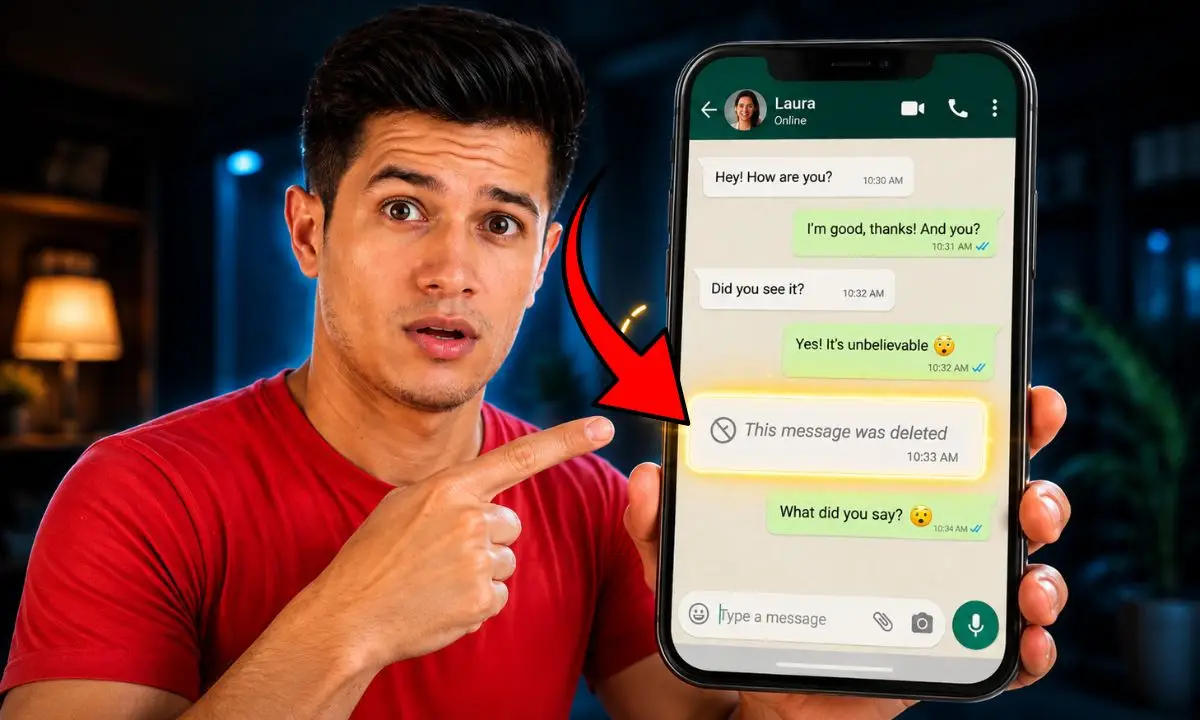
Sometimes, WhatsApp messages are deleted by mistake or by someone else, creating the need to recover deleted WhatsApp messages to maintain communication or access important information. Fortunately, there are natural and safe ways to view deleted WhatsApp messages without resorting to external apps, offering greater protection for your privacy and avoiding security risks. Furthermore, these techniques allow you to leverage native Android system features and cloud backups to access deleted messages and review old WhatsApp notifications.
Definition and function of reading deleted WhatsApp messages without an external app
Reading deleted WhatsApp messages without an external app involves using built-in operating system or app functions to recover messages deleted from a chat, without needing to download third-party programs. This practice is especially useful for those who value security and want to avoid the additional resource consumption of installing external applications. From my experience as an SEO writer specializing in mobile technology, I can recommend these secure and accessible solutions to maintain your complete message history.
Common signs or symptoms
- Deleted messages visible with the phrase "This message was deleted": indicates that the sender deleted the message, but the content is not directly accessible.
- Inability to recover old chats: This may be due to a lack of backups or the deactivation of notification history.
- Missing record of old notifications: If notification history has not been activated on Android, it is not possible to review past notifications.
Common causes
Cause 1: Messages deleted by the sender
This is the most common reason for seeing deleted messages on WhatsApp. The sender of a message can delete it for everyone in a chat, making the text disappear for both parties. This is detected because the standard "This message was deleted" notification appears.
Cause 2: Lack of active backup
Not having regular backups makes it impossible to recover deleted chats. This is noticeable when you try to restore conversations and can't find any recent files in Google Drive.
Cause 3: Notification history not activated
If WhatsApp notification history is not enabled on Android, you cannot access deleted messages or notifications. This is indicated by the absence of previous messages or details when reviewing old WhatsApp notifications.
Step-by-step (safe) solutions
To recover deleted messages without an external app, it is essential to follow methods that respect your privacy and work with official tools.
Note: Always make a backup before attempting restores to avoid data loss.
- Step 1: Enable notification history on Android
- Go to Settings > Apps > Notifications > Notification history.
- Activate this feature so that the system records incoming messages, even if they are later deleted.
- This allows you to read deleted messages without installing additional applications.
- Step 2: Review old WhatsApp notifications
- Access the notification history from the panel or through native system apps.
- There you can see deleted messages if they were recorded before being deleted from the app.
- Step 3: Restore WhatsApp messages from Google Drive
- Uninstall and reinstall WhatsApp.
- During setup, choose Restore deleted chats with backup when a backup is detected in Google Drive.
- Verify that the recovered messages include the deleted ones.
- If it fails, avoid trying again to prevent overwriting data and consider professional help.
Quick alternatives
- Option A: Use Samsung features to view deleted messages on Samsung
- Pros: Integrated into the Samsung system, no external apps required.
- Cons: Limited to Samsung devices and specific versions.
- Option B: Use Android notification widgets
- Pros: Easy access to recent messages.
- Cons: It only keeps messages up to a certain limit and does not recover entire chats.
Costs and when to call a technician
Generally, the methods described here do not involve any financial costs since they use free system and app features. However, factors such as the complexity of the problem, critical data loss, or the need to recover advanced information may require professional services ranging from $30 to $100 USD.
You should call a technician if:
- You are unable to restore messages despite following the steps.
- You perceive that the device has serious faults or errors.
- You need to recover important messages without a previous backup.
Common mistakes to avoid
- Do not enable notification history before messages are deleted.
- Overwriting the backup by performing repeated reinstalls.
- Downloading external applications without verifying their security or permissions.
Preventive maintenance (checklist)
- Activate notification history on Android - once and check periodically.
- Back up WhatsApp to Google Drive - weekly.
- Update WhatsApp and operating system - monthly.
Frequently Asked Questions
Can I recover deleted messages without a backup? Yes, by enabling notification history on Android you can access recently deleted messages.
Is it safe to use third-party apps to recover messages? Not always; they can compromise your privacy and security, which is why we recommend native methods.
Can you recover messages deleted a long time ago? Only if you have a backup that includes those messages or a saved notification history.
Resources and references
- WhatsApp Help Center: https://faq.whatsapp.com/
- Official Google Drive guide for restoring data: https://support.google.com/drive/
Conclusion
Recovering deleted WhatsApp messages without an external app is possible and recommended to protect your security and privacy. Enabling notification history on Android and maintaining regular backups to Google Drive are best practices to avoid losing valuable information. Start protecting your chat history today and stay informed about the official options offered by WhatsApp and your device.
If you want to learn more about managing your conversations and stay up-to-date with useful tips, feel free to follow us and share this article with your friends.