Why does my phone get hot when I'm not using it?
Practical explanation of why a mobile phone gets hot even when not in use, causes, safe solutions, costs and preventive maintenance.
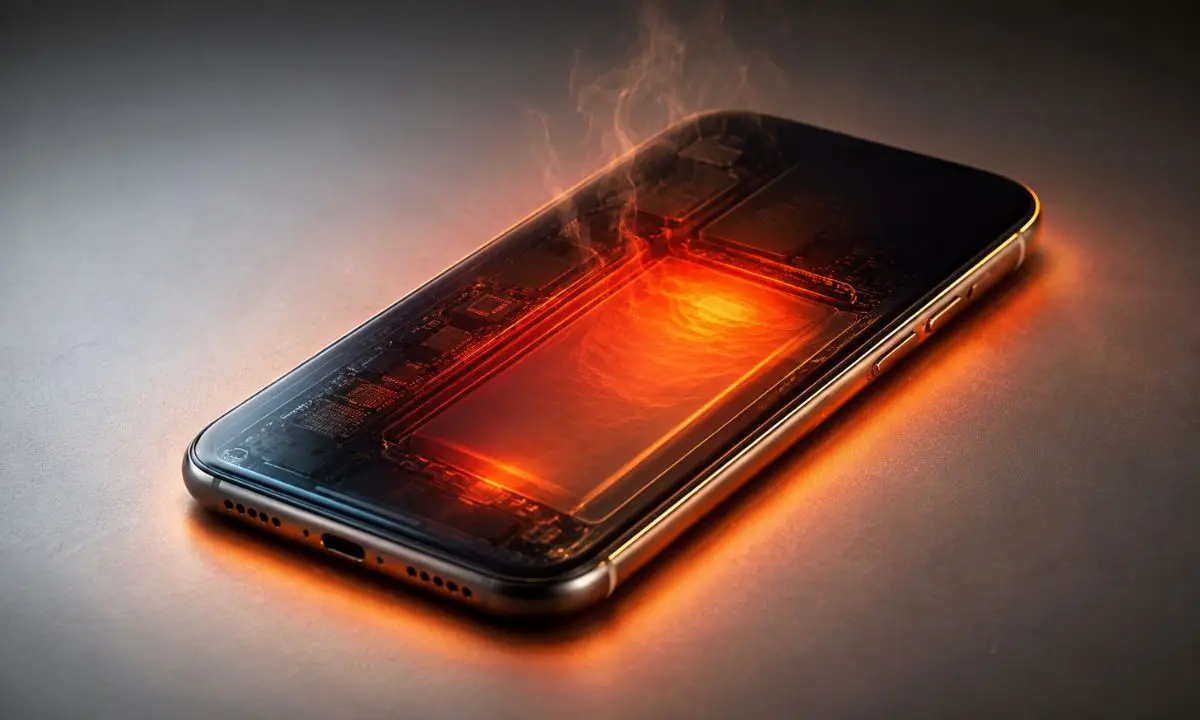
It's common to find that your phone gets hot even when you're not actively using it. If you're wondering "why does my phone get hot when I'm not using it," the cause is usually related to background processes, battery issues, or hardware interference. Identifying the reason allows you to apply a practical solution, such as closing apps or replacing the battery, to reduce the risk and improve the device's battery life.
There are also processes running that you don't see: apps syncing in the background, GPS constantly checking your location, updates installing themselves, or a faulty app stuck in a loop. It's normal for your device to get warm. But it's not normal for it to burn you to the touch in your pocket. Sustained heat irreversibly degrades your battery. And there's one cause—the most common one—that most people discover too late.
There's a huge difference between a warm phone and a hot phone. The former is working. The latter is being damaged, and that damage is irreversible.
In this guide you will learn how to measure the actual temperature of your device, identify which of the eight causes is affecting you, and stop it before it costs years of your battery's lifespan.
Definition and key characteristics of Why does my cell phone get hot when not in use?
This explanation addresses why a mobile phone generates heat even when idle or with the screen off. It's not a single problem: several subsystems of the device (battery, processor, radio, software) can produce heat for different reasons. Excessive heat can shorten the lifespan of components and, in extreme cases, cause battery failure or swelling.
Understanding this phenomenon helps distinguish between benign situations (automatic updates) and those requiring intervention (faulty battery). With this knowledge, you can make informed decisions, from adjusting software settings to contacting a technical service.
Definition and function of Why does my cell phone get hot when not in use
The question "Why does my phone get hot when I'm not using it?" refers both to the symptom (heat even when not in use) and to the need to diagnose its cause. The purpose of this analysis is to guide you step-by-step to identify the source of the heat and apply safe solutions. As a writer with experience in mobile technology, I have repeatedly seen that many cases are resolved with simple adjustments or battery replacement.
How much heat is normal in a cell phone?
25 to 35 °C Cold or room temperature Normal at rest
35 to 40 °C Slightly warm Acceptable, there are active processes
40 to 45 °C Clearly lukewarm, uncomfortable Something is wrong, investigate
45 to 50 °C Hot, uncomfortable to hold. Cumulative damage to the battery.
Over 50°C Burns Real risk, act now
How to identify the platform responsible for the overheating?
Android: Settings → Battery → Battery usage → three-dot menu → "Show full device usage". Sort by usage and look at the background activity column. If an app you didn't open today shows up with minutes of activity, that's the culprit.
iPhone: Settings → Battery → switch to "Last 10 Days" and tap "Show Activity." The gray bar indicates background activity. Any app with more background activity than screen activity should be reviewed.
Common signs or symptoms
- Symptom 1: Localized temperature increase at the rear - cause: battery or processor; risk: battery degradation.
- Symptom 2: Heating near the camera or frame - cause: processes using the sensor or modem; risk: camera failure and image noise.
- Symptom 3: Phone is hot even when switched off or in standby mode - cause: residual current or faulty battery; risk: swelling and danger of leakage.
Common causes
Cause 1: Background processes
Brief description and how to identify it.
Some apps run in the background: email synchronization, backups, scans, or malware removal. This causes the processor and communication modules to work harder, generating heat. To identify the cause, check battery usage and the active apps section in settings; if an app shows abnormal power consumption, it's likely the culprit.
Cause 2: Scheduled updates or operations
Brief description and how to identify it.
System updates, data restores, or file reindexing may run automatically when the phone is plugged in or idle. These tasks temporarily increase CPU usage and network downloads. You can confirm this by checking the update history, system notifications, or the activity log for the last few hours.
Cause 3: Battery problems (degradation or defects)
Brief description and how to identify it.
The battery is the primary source of heat when it has damaged cells, internal short circuits, or is aging. Detecting this includes observing swelling, rapid discharge, noticeable overheating to the touch, and abnormal readings on battery diagnostics. Monitoring tools and technical service help confirm the diagnosis.
Cause 4: Poor connectivity and signal
Brief description and how to identify it.
If your phone is constantly searching for a network (cellular or Wi-Fi) due to poor coverage, the modem is working at higher power and generating heat. You can identify this by looking at the signal icon, frequent interruptions, or when the heat occurs in areas with poor reception.
Cause 5: Malicious or poorly optimized applications
Brief description and how to identify it.
Malware or poorly designed apps can run tasks in a loop or mine cryptocurrency, consuming CPU and network resources. Detect it through unusual behavior, high data usage, and by scanning with antivirus software or reviewing suspicious permissions and processes.
Cause 6: Hardware problems (board, connectors, short circuits)
Brief description and how to identify it.
Internal component failures, loose solder joints, or moisture can generate heat due to irregular power consumption. This is usually identified through technical diagnosis: a burning smell, very hot spots in specific locations, or intermittent failures.
Step-by-step (safe) solutions
1-2 sentence safety note.
If the phone feels hot to the touch, first remove it from the charger and keep the screen off. If you notice any swelling or an odor, stop using it and contact a repair service. Follow these steps carefully, always in a well-ventilated area.
- Step 1: Close apps and restart - objective: stop background processes / tool: task manager / time: 2-5 minutes.
- Manually close battery-draining applications and perform a full restart to stop orphaned processes.
- Step 2: Review configurations and diagnostics - detail and verification.
- Open Settings > Battery or Battery Usage to see apps that are consuming a lot of battery; uninstall or force stop any that seem suspicious. Check for system and app updates, and consider temporarily disabling automatic syncing to test.
- Step 3: Battery replacement or technical service - when to stop and call a professional.
- If you notice swelling, rapid discharge, or if the heat does not subside after the previous steps, stop and take the equipment to an authorized service center for battery replacement or hardware diagnostics.
Quick alternatives
- Option A: Safe Mode (Safe Boot) - pros: allows starting without third-party apps to check if the problem is software-related; cons: does not solve physical problems.
- Option B: Factory reset - pros: removes problematic settings and apps; cons: requires backup and does not fix hardware failures.
Costs and when to call a technician
The typical cost of a battery repair and replacement varies depending on the brand and model. Generally speaking, a battery replacement in a smartphone can cost between $30 and $120 USD for common models, while motherboard or sensor repairs can exceed $100-$300 USD. Factors that affect the price:
- Make and model of the equipment (original vs generic components).
- Availability of spare parts and repair time.
- Valid warranty or authorized service vs. independent workshop.
- Type of failure: battery vs motherboard or screen.
You should call a technician if you notice any of these signs: swollen battery, burning smell, persistent overheating after restarting and closing apps, rapid battery drain, or erratic device behavior. Also, call a technician if your phone gets hot even when it's turned off or in airplane mode.
Common mistakes to avoid
- Error 1: Ignoring the problem and continuing to use the hot phone - how to avoid it: stop and apply the basic steps (restart, close apps) and monitor the temperature.
- Error 2: Using non-certified chargers or damaged cables - how to avoid it: always use chargers and cables certified by the manufacturer and avoid charging on soft surfaces that retain heat.
- Error 3: Full restore without backup - how to avoid it: make a backup before any factory restore and try safe mode first.
Preventive maintenance (checklist)
- Update system and applications - frequency: monthly.
- Check battery usage and close unnecessary apps - frequency: weekly.
- Avoid exposure to direct heat and do not carry under pillows - frequency: continuous.
Frequently Asked Questions
Why does my phone get hot when I'm not using it? Short answer (1-2 sentences).
This could be due to background processes, updates, or battery issues; check your battery usage and close resource-intensive apps.
Is it dangerous for my cell phone to get hot even when I'm not using it? Short answer.
If the heat is mild and temporary it is usually not serious, but persistent heat or heat accompanied by swelling or odor requires technical attention.
Can I replace the battery myself? Short answer.
It depends on the model: some devices allow for easy replacement, but modern ones usually require tools and experience; if you're unsure, take the equipment to an authorized service center.
Resources and references
- Source 1 (manufacturer/official guide): Phone manufacturer's support guide (refer to your brand's official website).
- Source 2 (manual/organization): Safety documentation on lithium-ion batteries and authorized repair guides.
Conclusion
Overheating in an unused cell phone can have various causes: from background software processes to physical failures in the battery or other components. Start with simple steps like restarting, checking battery usage, and trying safe mode. If the problem persists, or you notice swelling or an odor, seek authorized service. If you'd like, I can help you create a custom checklist for your phone model or guide you step-by-step through checking battery usage. Send me your phone model and operating system, and I'll prepare a specific guide.